
Hello folks! If you opened the ChatGPT app on your Mac or PC last week and couldn’t find your old conversations, you weren’t losing your mind. OpenAI rebuilt the desktop app, buried the chat history in the process, and has now spent the past week walking part of it back after a wave of complaints.
What actually happened
Back on July 9, OpenAI folded three separate things, the regular ChatGPT app, the Work agent, and the Codex coding tool, into one downloadable desktop client. The old standalone app got renamed ChatGPT Classic and pushed aside.
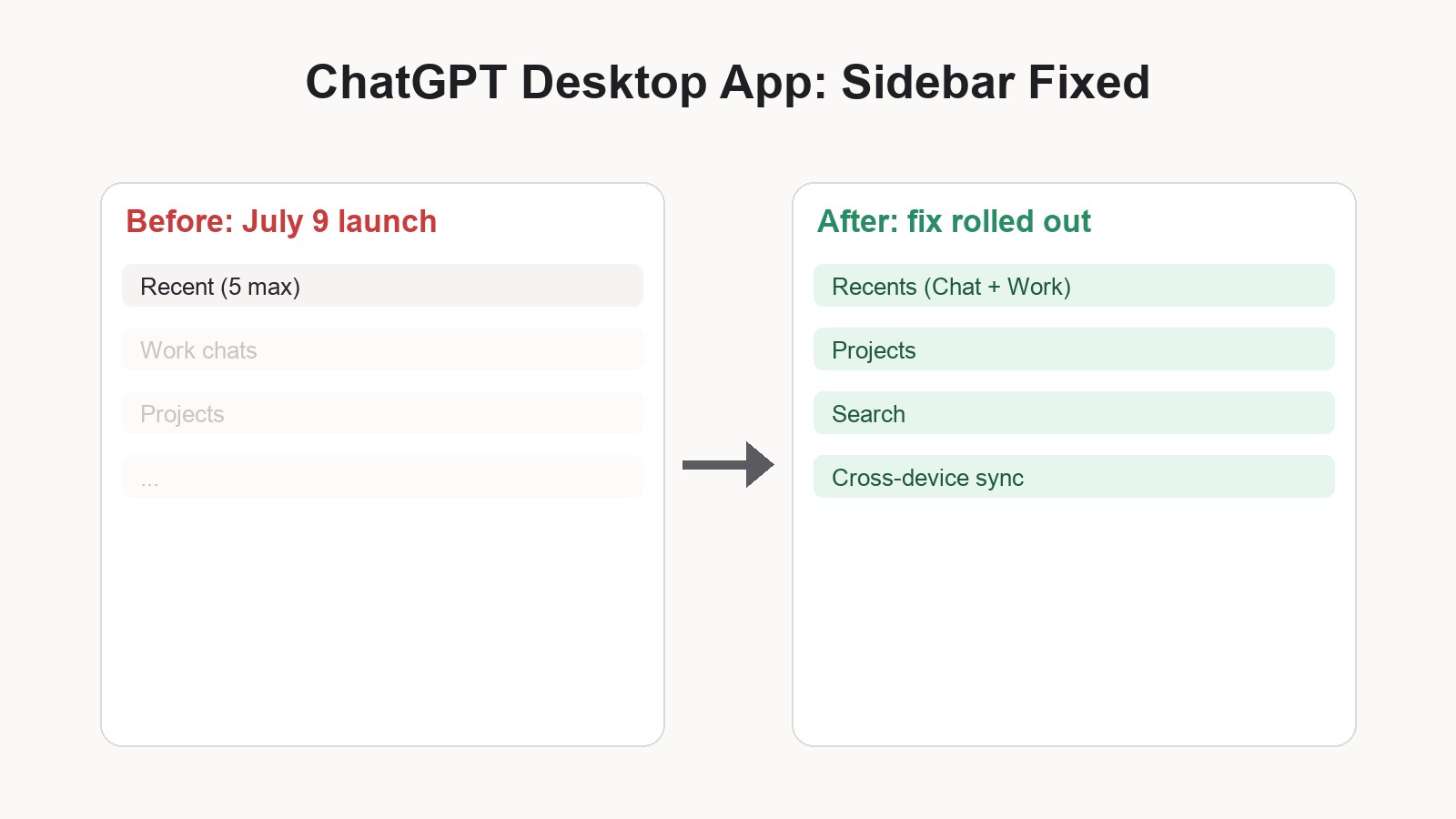
The problem was the execution. Chat history, the entire reason most people open the app, got tucked away and hard to find. Only your five most recent threads showed up without digging. Cloud-based Work conversations you’d started on the web simply didn’t appear on desktop at all. Switching between a quick chat and a Work task felt clunky compared to the web version. People were annoyed enough that some manually reinstalled ChatGPT Classic just to get their old workflow back.

What changed in the fix
- Recents is unified again. Chat and Work conversations now show up together in one list you can sort, filter, and pin.
- Projects are back. Your existing ChatGPT Projects now appear directly in the desktop app instead of being hidden.
- Cross-device sync is fixed. Cloud Work conversations now follow you across web, mobile, and desktop. Local-only conversations still stay on your computer, by design.
- Clearer switching. A global switcher lets you flip between ChatGPT and Codex, and inside ChatGPT you pick Chat for quick questions or Work for longer tasks.
- Better search. A new search option looks across old chats, projects, documents, and images from one place.
Thibault Sottiaux, who leads the ChatGPT app team at OpenAI, put it plainly on X: “We’ve gotten lots of great feedback on the new ChatGPT desktop app (which we didn’t get totally quite right on the first try), and as a result, we’ve made some changes.” That’s a fairly candid admission for a company this size, and honestly, it’s the right call instead of pretending the launch went fine.
Why this matters to you
If you use ChatGPT for actual work, not just quick questions, losing track of a conversation you started three days ago is more than an annoyance. It breaks the whole point of switching to the desktop app in the first place. This fix mostly restores what people expected on day one: open the app, see your recent chats and Work threads in one place, keep working where you left off on your phone or browser.
It’s also a reminder that a “unified” redesign isn’t automatically better. Merging three tools into one app added real complexity, and some of the rough edges, like the sheer size of the new Electron-based client, are still being debated by longtime users even after this patch.
How to get the update
You don’t need to do anything special. The update is already live for every ChatGPT plan, including free accounts, on both macOS and Windows. Just open the app; if you don’t see the new Recents view yet, check for an app update in your system’s app store or OpenAI’s download page, since desktop apps sometimes roll out gradually.
What’s next
OpenAI hasn’t said the redesign is finished. Critics still point out that the app bundles a lot of functionality into one heavy client, and some longtime users say they’d still rather run ChatGPT Classic for simple day-to-day chats. Expect more small adjustments over the coming weeks as OpenAI keeps responding to feedback, similar to how it handled early complaints about Google’s Gemini Notebook rename earlier this month.
Frequently asked questions
Why did my ChatGPT chat history disappear?
OpenAI’s July 9, 2026 redesign merged Chat, Work, and Codex into one app and accidentally buried conversation history in the process. The July 17 update restores a unified Recents view showing your Chat and Work conversations together.
Do I need to update the app manually?
No. The fix is already live for all plans on macOS and Windows. If you don’t see the changes yet, check your system’s app store for a pending ChatGPT update.
What happened to ChatGPT Classic?
ChatGPT Classic is the renamed version of the original standalone desktop app, kept around for people who preferred it after the July 9 merger. Some users reinstalled it manually during the rough first week.
Does the update fix Work conversation syncing?
Yes. Cloud Work conversations now sync across web, desktop, and mobile again. Conversations you’ve kept local to one device stay local, that part didn’t change.
Did your ChatGPT app lose your history too, or did this update fix it for you? Tell us in the comments.